LINKS
CGNAT Geen prive IPv4 door “semi” private range van internet service provider ISP
SETUP a SG2218
if new 192.168.0.1 – admin/admin and give in a new password
Create new management VLAN > port 15 Untagged to connect and port16 tagged(Trunk)
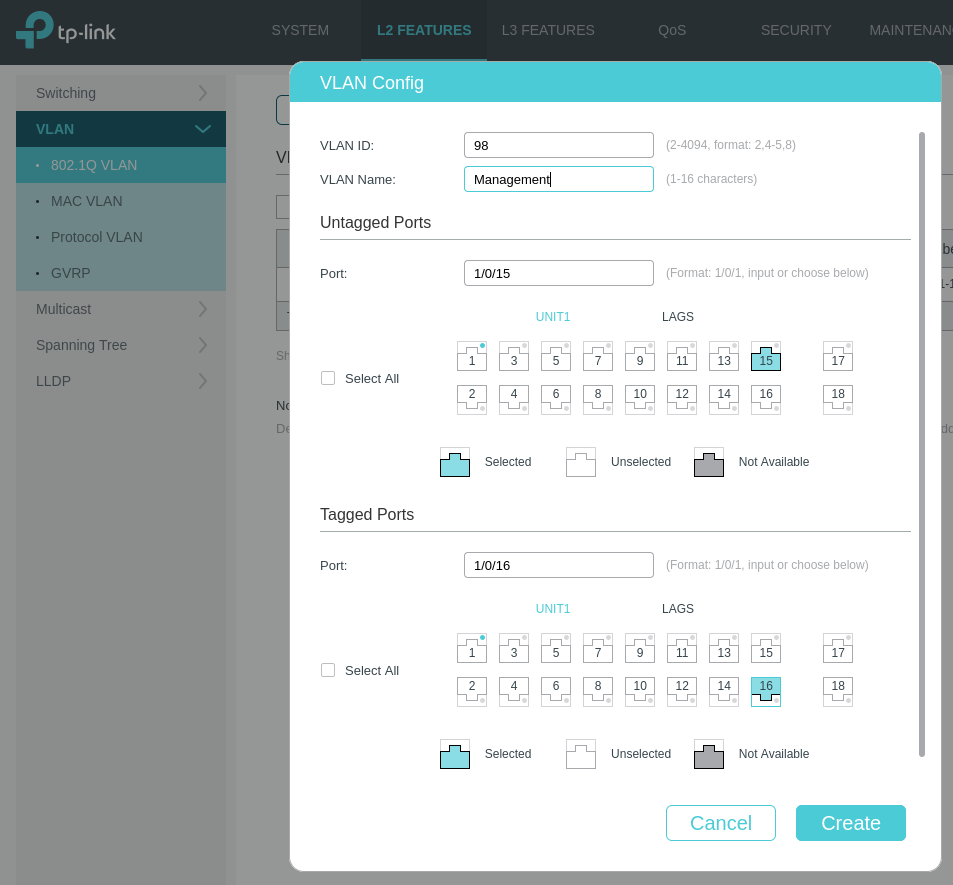
SETUP a new management VLAN and IP
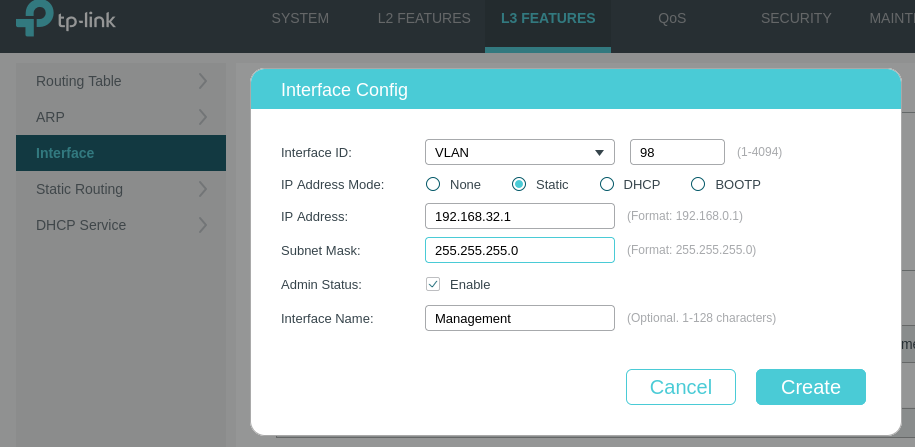
Assign a port to the Port VLAN ID(PVID) 98

Connect to the new management VLAN (new IP)
Delete the default management VLAN 1 interface

Edit the port assignment and remove all ports

Delete VLAN 1
First move all ports vlan 98
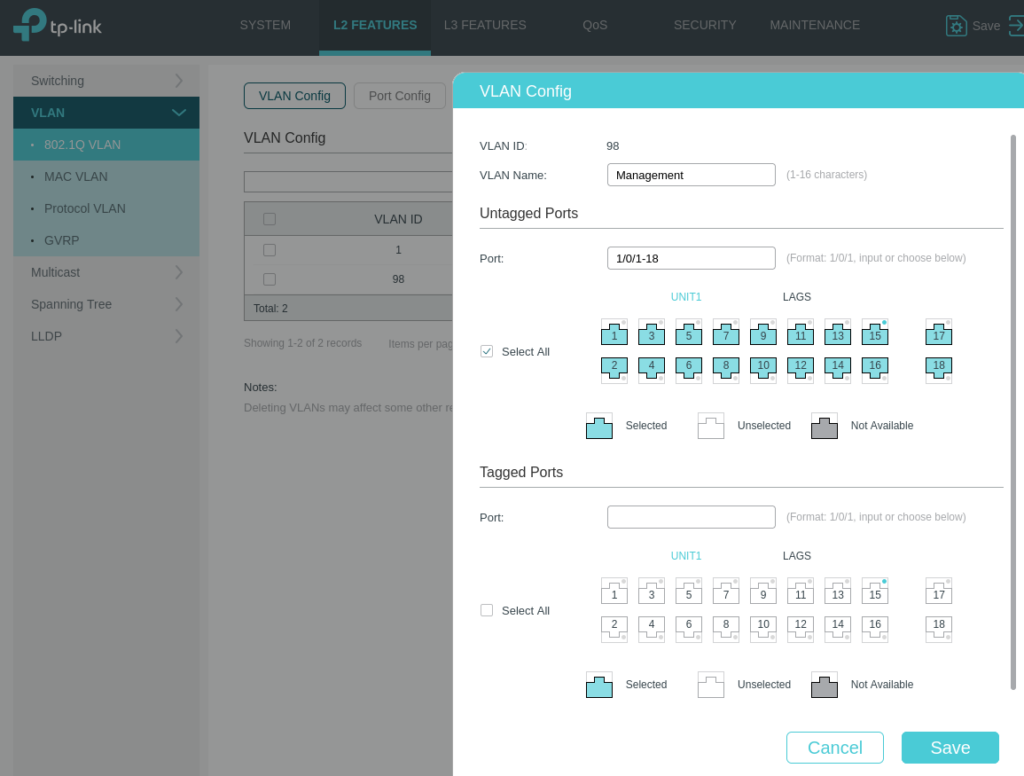
Remove vlan 1 from all ports and delete vlan 1

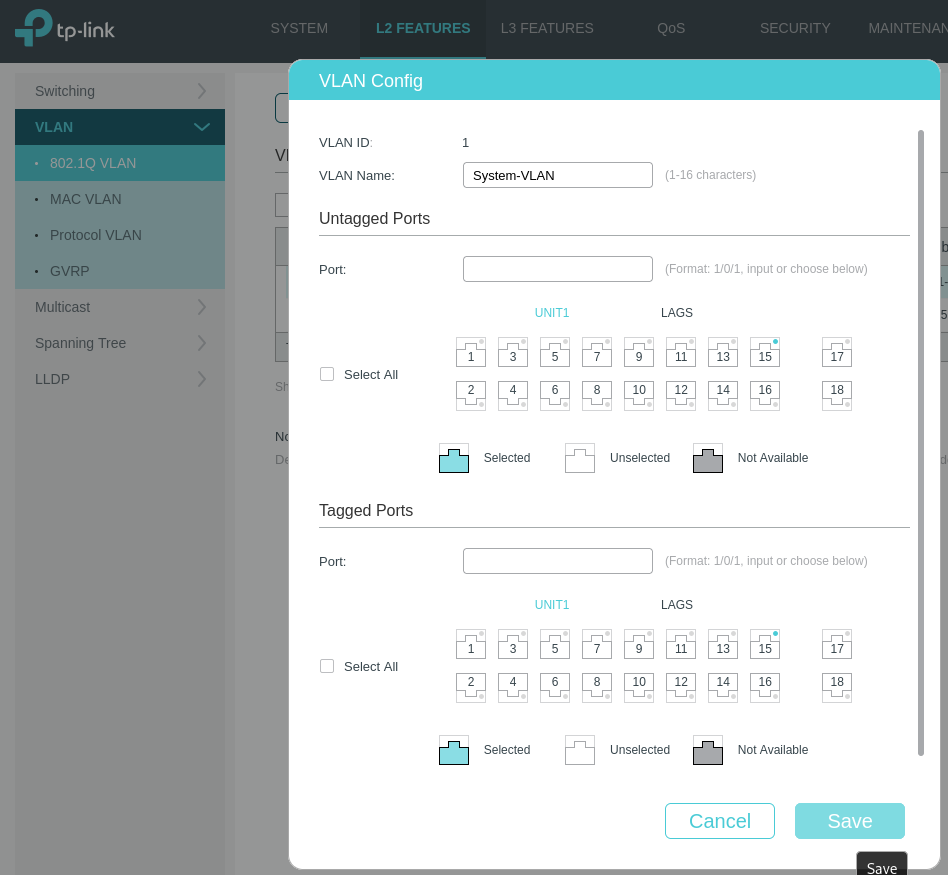
Setup VLANS
| VLAN | Naam | Poorten |
|---|---|---|
| 10 | PCS7 | 1-4 |
| 20 | Service Station and P13 | 5-8 |
| 30 | Other | 9-10 |
| 40 | Internet | 11-14 |
| 98 | Management | 15 |
| 16 | Trunk | 16 |